
If you want your brand to stand out on Facebook, understanding your audience and tracking your performance is non-negotiable. But here’s the problem: Meta’s native analytics have real gaps – no competitive benchmarking, rigid reporting, and a short data history window that makes trend analysis nearly impossible.
We tested and reviewed 15 Facebook analytics tools to find which ones actually help you make smarter decisions. Whether you’re a solo marketer, an agency managing 20+ pages, or an enterprise team tracking brand sentiment, this guide breaks down the best option for every use case – including pricing, ratings, and what each tool does better than everything else.
Why Meta’s Native Analytics Fall Short?
Before we dive into third-party tools, it’s worth understanding what Meta Business Suite (formerly Facebook Analytics) can’t do. Most marketers hit these walls quickly:
- No competitive benchmarking – Meta Insights only shows data for pages you manage, so you can’t see how your performance stacks up against competitors.
- Restricted data access – key metrics like video views or follower counts are only visible for pages you own; public page data is off-limits natively.
- Inconsistent metric calculations – Facebook counts engagement on all posts that received any interaction within a date range, while most professional tools count only posts published in that period, causing discrepancies.
- Rigid reporting and minimal export options – native reports can’t be white-labeled, automated, or combined with data from other channels.
- Short historical data windows – Meta Insights typically limits lookback periods, making long-term trend analysis and year-over-year comparisons difficult.
- No advanced features – automated benchmarking, content tagging, multi-platform aggregation, and AI-driven insights are all absent from the native dashboard.
Quick Comparison: All 15 Tools at a Glance
Use this table to quickly filter by budget, use case, and rating before diving into the full reviews below.
| Tool | Best For | Pricing/mo | G2 Rating | Standout Feature |
|---|---|---|---|---|
| ViewMetrics | Agencies & multi-channel teams | Custom | N/A | Unified FB + ads + email dashboard |
| Sprout Social | Enterprise social listening | $249/user | 4.3/5 | Sentiment + paid vs organic split |
| Hootsuite | Multi-account management | $99 | 4.1/5 | Best time to post AI suggestions |
| Buffer Analyze | Solopreneurs & small biz | $6 | 4.3/5 | Clean UX, easiest to get started |
| Agorapulse | Agencies & ROI reporting | $79 | 4.5/5 | ROI tracking + social listening |
| Brandwatch | Enterprise audience analysis | Custom | 4.2/5 | AI-powered sentiment + 100+ metrics |
| Emplifi | Content + demographic insights | Custom | 4.2/5 | Automated email reports + benchmarks |
| Rival IQ | Competitive intelligence | $239 | 4.5/5 | Boosted post detection for rivals |
| Socialinsider | Content & competitor benchmarking | $99 | 4.6/5 | Content pillar performance analysis |
| Keyhole | Hashtag & influencer campaigns | $179 | 4.3/5 | Real-time hashtag + sentiment tracking |
| Iconosquare | Detailed metrics + scheduling | $49 | 4.4/5 | 100+ metrics + industry benchmarks |
| SocialPilot | Agency multi-page management | $30 | 4.5/5 | White-label reports for clients |
| Sendible | Brand managers & agencies | $29 | 4.5/5 | Page consumption + top-post tracking |
| Whatagraph | Visual client reporting | $249 | 4.5/5 | Drag-and-drop cross-channel reports |
| Meta Business Suite | Basic free monitoring | Free | 4.2 | Native source, real-time ad data |
What to Look for in a Facebook Analytics Tool?
With so many options, here is the criteria that actually matters when evaluating these tools:
- Data coverage: Does it track reach, impressions, engagement, follower growth, demographics, and post-level performance? Does it include historical data and competitor benchmarking?
- Integration accuracy: Does it pull data directly from Meta’s API for reliable, real-time results?
- Reporting flexibility: Can you create custom reports, export as PDF/CSV/PPT, and schedule automated delivery?
- Usability and scalability: Can it handle multiple accounts without becoming cluttered? What is the page limit per plan?
- Pricing transparency: Are the key features available on the base plan, or locked behind expensive upgrades?
- Advanced analytics: Does it offer content tagging, pillar analysis, competitive benchmarking, or AI-driven recommendations?
The 15 Best Facebook Analytics Tools for 2026
1. ViewMetrics – Best for Agencies and Multi-Channel Marketing Teams
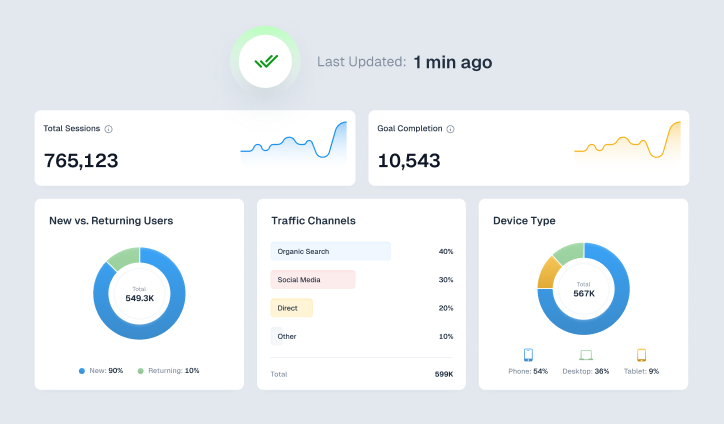
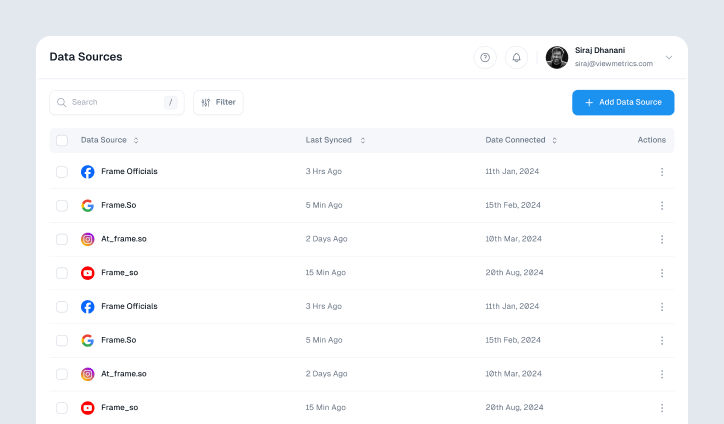
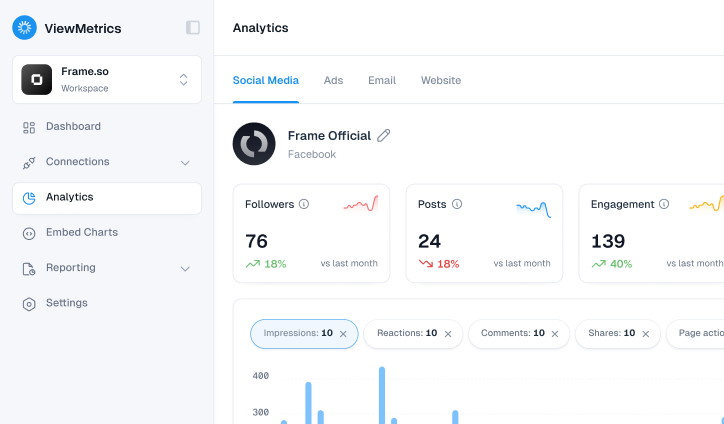
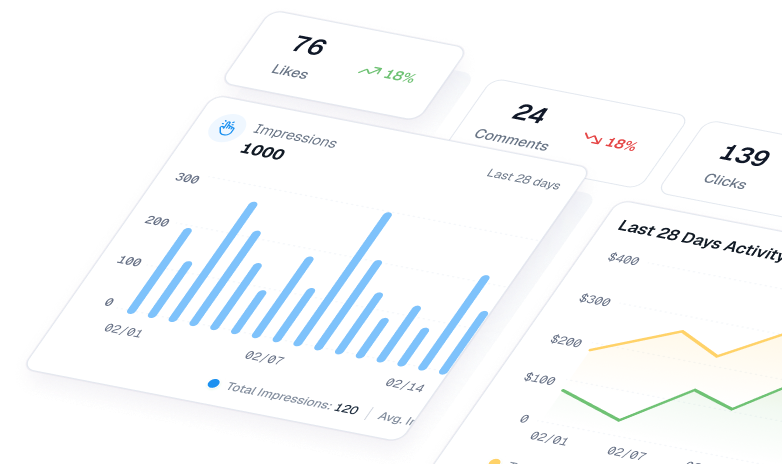
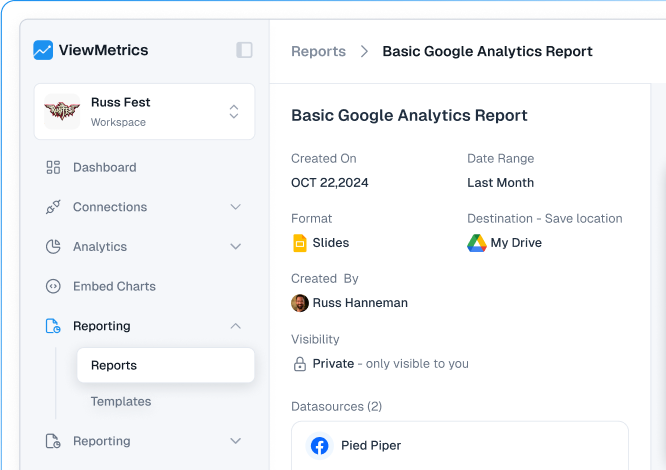
ViewMetrics is an all-in-one marketing analytics platform built for teams that need to unify data from social media, ads, email, and websites into a single dashboard. Rather than jumping between Meta Business Suite, Google Analytics, and your ad platform, ViewMetrics pulls everything together so you can see how Facebook fits into your broader marketing picture.
Where ViewMetrics differentiates itself is the unified view: Facebook ad performance sits side-by-side with organic content metrics, email results, and website data – making it easy to connect the dots across channels in client reports.
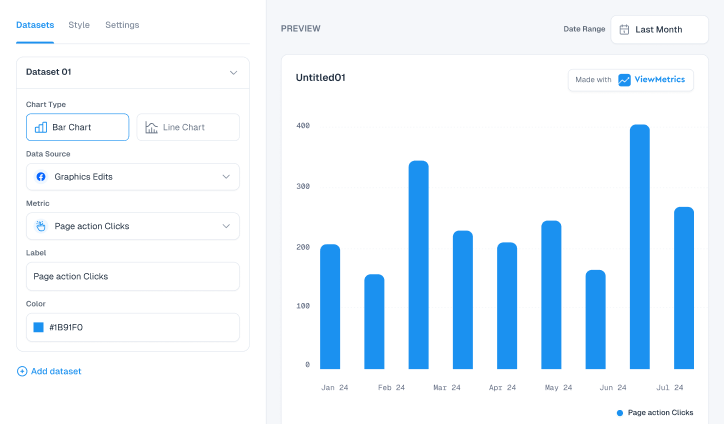
- Facebook metrics tracked: Audience demographics (age, location, interests), recent post metrics (likes, shares, comments, reach), overall page performance, ad campaign and ad-set level data, and a unified cross-channel view.
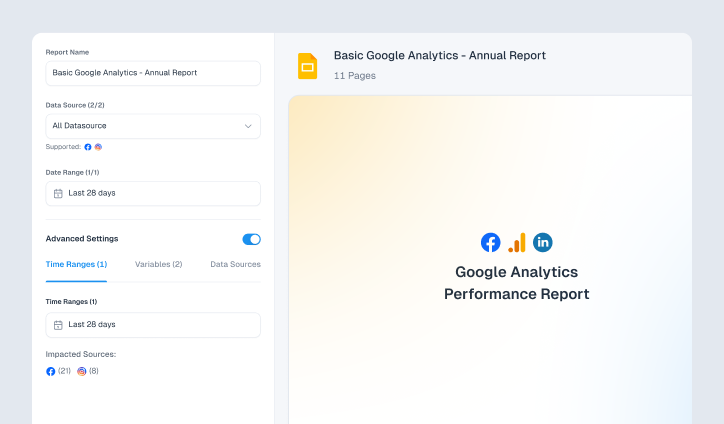
- Standout features: Real-time charts per platform, custom metric selection, PDF/image report export, custom date ranges, and a Google Workspace add-on for Sheets and Slides.
- Best for: Marketing agencies and in-house teams managing multiple channels who need clean client-ready reports without jumping between tools.
- Pricing: Custom pricing. Free trial available. Visit viewmetrics.com/pricing for current plans.

View All Your Marketing and Website Data - Instantly
 Connect Instagram, Mailchimp, Google Analytics & more
- Pre-built dashboards, no setup needed
- Save hours on reporting every week
2. Sprout Social – Best for Enterprise Teams Needing Social Listening
Sprout Social is one of the most comprehensive social media management platforms available. Its Facebook analytics go beyond post performance – you get sentiment analysis, competitor tracking, and detailed paid vs. organic breakdowns that help large teams prove ROI across campaigns.
The reporting layer is particularly strong for enterprise use: branded reports can be automated and scheduled, and Sprout’s Smart Inbox consolidates messages, comments, and mentions so nothing falls through the cracks. The trade-off is cost – at $249/user/month, it is among the most expensive options on this list.
- Facebook metrics tracked: Impressions breakdown, fan growth analysis, post performance (likes, comments, shares, reach), paid vs. organic comparison, and video engagement with watch-time data.
- Standout features: Social listening across the web, competitor performance comparison, AI-powered content suggestions, and industry benchmarking.
- Best for: Enterprise marketing teams that need social listening, sentiment analysis, and full-team collaboration tools alongside deep analytics.
- Pricing: Starts at $249/user/month. G2 rating: 4.3/5 (4,300+ reviews).
3. Hootsuite – Best for Teams Managing Multiple Social Accounts
Hootsuite has long been the go-to tool for social media managers juggling multiple platforms and accounts. Its analytics dashboard gives you a consolidated view of Facebook performance alongside every other channel you manage, and the AI-powered best-time-to-post recommendations are genuinely useful for optimizing reach.
Competitor analysis is available at the account level, and the paid vs. organic split makes it easy to see which content type is driving your numbers. Where Hootsuite falls behind specialized analytics tools is in depth – if you need content pillar analysis, organic value calculation, or advanced benchmarking, you will want a more focused tool.
- Facebook metrics tracked: Organic and paid insights, post timing suggestions, competitor Facebook page monitoring, and ad performance tracking from the same dashboard.
- Standout features: Unified dashboard for all networks, AI content suggestions, competitive and industry benchmarking, and team workflow management.
- Best for: Mid-size teams that want one tool for scheduling, publishing, and analytics across all social platforms.
- Pricing: Starts at $99/month. G2 rating: 4.1/5.
4. Buffer Analyze – Best for Small Teams and Solopreneurs
Buffer Analyze is the analytics module from Buffer, designed around simplicity. If you want to understand what content is working on your Facebook page without spending hours learning a complex platform, this is the easiest entry point on the list. The interface is clean, the data is clearly presented, and daily updates keep your metrics current.
The free plan is genuinely useful for getting started, and the paid tiers are affordable relative to the rest of the market. The limitation is depth – Buffer does not offer competitive benchmarking, content pillar analysis, or the kind of advanced segmentation that agencies need.
- Facebook metrics tracked: Post-level reach, impressions, and engagement, paid vs. unpaid content comparison, audience reaction breakdowns, and hashtag performance.
- Standout features: Minimal learning curve, side-by-side boosted vs. organic comparison, daily audience and engagement updates, and custom report builder.
- Best for: Solo creators, small business owners, and anyone who wants straightforward Facebook insights without paying enterprise prices.
- Pricing: Free plan available. Paid starts at $6/month. G2 rating: 4.3/5.
5. Agorapulse – Best for Agencies That Need ROI Reporting
Agorapulse combines scheduling, inbox management, and analytics in a single platform with a strong focus on proving content ROI. Its reporting layer turns raw Facebook Insights data into client-ready reports without requiring manual cleanup, and the social listening tools help you track brand mentions across the web.
The suggested posting times feature is driven by your page’s own engagement history, which makes the recommendations more relevant than generic best-practice advice. Agorapulse is particularly well-suited to agencies managing multiple brand accounts that need consistent reporting across clients.
- Facebook metrics tracked: Reach reports, engagement summaries (reactions, comments, shares), audience analysis, hashtag tracking, and ROI attribution.
- Standout features: Ready-to-share client reports, social listening, ROI tracking for campaigns, inbox management for comments and messages, and data-driven posting time suggestions.
- Best for: Agencies that bill clients on social ROI and need automated, branded reporting with inbox management included.
- Pricing: Starts at $79/month. G2 rating: 4.5/5.
6. Brandwatch – Best for Audience Analysis and Deep Sentiment Insights
Brandwatch goes well beyond post-level metrics. If you need to understand how people feel about your brand across Facebook and the wider web, and why your engagement spikes or drops at certain moments, Brandwatch’s AI-driven analysis and social listening capabilities are among the most sophisticated available.
Their Iris AI assistant can analyze millions of brand conversations, identify trends, and surface insights that would take a human analyst days to find. Custom dashboards are genuinely flexible, and automated alerts notify your team when key metrics move unexpectedly. The trade-off is pricing – Brandwatch is an enterprise product with custom pricing, and smaller teams may find the complexity outweighs the benefits.
- Facebook metrics tracked: Post and channel performance (reach, clicks, shares, comments), AI-based trend analysis, paid vs. organic comparison, and sentiment tracking (positive, negative, neutral).
- Standout features: Over 100 Facebook metrics, AI content and comment analysis, custom dashboards, social listening with historical data archives, and competitor share-of-voice tracking.
- Best for: Enterprise brands and PR teams that need to monitor audience sentiment, track brand reputation, and analyze large-scale conversation data.
- Pricing: Custom pricing. Contact Brandwatch for a quote. G2 rating: 4.2/5.
7. Emplifi (formerly Socialbakers) – Best for Content Performance and Demographic Insights
Emplifi gives you a full picture of how your Facebook content performs across all post types and audience segments. It pulls data from both organic posts and ads into a single view, and the demographic breakdown – age, location, behavioral signals – helps you refine targeting across campaigns.
Automated email reports are a practical time-saver for teams that need to keep stakeholders informed without building reports from scratch each week. Industry benchmarks allow you to compare your Facebook performance against brands in your sector, which is particularly useful for setting realistic KPI targets.
- Facebook metrics tracked: Detailed content reports (paid and organic), audience demographic insights, video stats (views, watch time), engagement by post type, and impression summaries.
- Standout features: One dashboard for all Facebook data, organic vs. paid side-by-side view, customizable reports, automated email delivery, and industry benchmark comparisons.
- Best for: Marketing teams that need to report on Facebook content performance to stakeholders and want automated, scheduled reports built in.
- Pricing: Custom pricing. Contact Emplifi for a quote. G2 rating: 4.2/5.
8. Rival IQ – Best for Competitive Intelligence and Boosted Post Detection
Rival IQ is built around one core insight: knowing what your competitors are doing is just as important as knowing your own numbers. It tracks competitor Facebook pages in detail, alerts you when rival brands post or see engagement spikes, and uses smart detection to identify whether competitor posts are being paid to boost – giving you a signal about where they are investing.
For brands in competitive categories where Facebook strategy is a key differentiator, Rival IQ provides a level of competitive visibility that most tools do not. The reporting layer is also strong, with custom branded reports and scheduled delivery.
- Facebook metrics tracked: Competitive page tracking, boosted post detection for rival brands, Facebook Insights integration (page and post performance, audience), ad dashboard (spend, reach, results), and organic vs. boosted comparison.
- Standout features: Competitor activity alerts, industry engagement rate benchmarks, branded custom reports, and boosted post identification.
- Best for: Brands in competitive markets where tracking competitor Facebook strategy is a core part of content planning.
- Pricing: Starts at $239/month. G2 rating: 4.5/5.
9. Socialinsider – Best for Content Pillar Analysis and Industry Benchmarking
Socialinsider is one of the strongest dedicated Facebook analytics tools on this list, particularly for marketers who need to understand what type of content is driving performance – not just that a post did well, but why, and how that content category compares to competitors and industry averages.
The content pillar analysis feature is genuinely differentiated: you can tag your posts by content category, see which pillars generate the most reach and engagement, and then compare your content mix against a competitor’s to identify gaps. The organic value calculation – which estimates the monetary value of your Facebook organic reach – is a useful metric for justifying social investment to finance teams.
- Facebook metrics tracked: Engagement rate by followers and by reach, engagement by post type, reach and impressions over time, top and bottom performing posts, fan growth, and competitor page metrics.
- Standout features: Content pillar performance analysis, industry benchmarking (by country and follower tier), organic value calculation, automated scheduled reports, and competitor content mix comparison.
- Best for: Content marketers and social media analysts who need to understand which content categories are working and how they compare to the competition.
- Pricing: Starts at $99/month. 14-day free trial available. G2 rating: 4.6/5.
10. Keyhole – Best for Hashtag Tracking and Influencer Campaigns
Keyhole specializes in two areas where most Facebook analytics tools fall short: hashtag tracking and influencer campaign measurement. If you run campaigns tied to specific hashtags or work with influencer partners on Facebook, Keyhole gives you real-time visibility into how those campaigns are performing, what sentiment is surrounding them, and how they compare against competitors.
The public page monitoring feature allows you to track any public Facebook page’s performance metrics and engagement patterns – useful both for competitive research and for tracking earned media from influencer partnerships.
- Facebook metrics tracked: Public page monitoring, hashtag and keyword analytics, competitor engagement tracking, sentiment analysis, and content performance trend data.
- Standout features: Real-time hashtag tracking, influencer performance measurement, sentiment breakdown, data-driven growth recommendations, and long-term trend analysis.
- Best for: Brands and agencies running hashtag campaigns or influencer partnerships on Facebook who need real-time campaign performance tracking.
- Pricing: Starts at $179/month. G2 rating: 4.3/5.
11. Iconosquare – Best for Detailed Metrics With Scheduling Built In
Iconosquare tracks over 100 Facebook metrics and combines analytics with post scheduling in one interface, making it a practical all-in-one for social media managers who do not want to switch between tools. The visual best-time-to-post charts are based on your audience’s actual activity patterns rather than generic averages, which makes the recommendations meaningfully more accurate.
Industry benchmarks allow you to compare your Facebook engagement rate, reach, and growth against brands of similar size in your category – a useful sanity check when setting quarterly targets.
- Facebook metrics tracked: Engagement rate, reach and impressions, audience demographic data (age, gender, location), best posting times, and competitor growth and content tracking.
- Standout features: 100+ Facebook metrics, audience-activity-based posting time recommendations, competitor tracking, branded automated reports, and combined scheduling plus analytics.
- Best for: Social media managers who want detailed Facebook analytics and scheduling in a single tool without the cost of enterprise platforms.
- Pricing: Starts at $49/month. G2 rating: 4.4/5.
12. SocialPilot – Best for Agencies Managing Multiple Facebook Pages
SocialPilot is built for teams and agencies managing a high volume of Facebook pages. It combines publishing, analytics, and team collaboration tools at a price point significantly lower than enterprise alternatives like Sprout Social, making it one of the better-value options for agencies that need white-label reporting and bulk post scheduling.
The analytics side covers the core Facebook metrics well, and the white-label report builder lets you brand reports with your agency’s logo before sending them to clients. Bulk uploading – up to 500 posts at once – is a standout time-saver for large-scale content calendars.
- Facebook metrics tracked: Engagement by post type and time period, fan growth trends, post performance review, audience demographics (age, gender, location, interests).
- Standout features: White-label client reports, bulk post scheduling (up to 500 posts), competitor performance reports, historical data access (~2 years), and unified inbox for comments and messages.
- Best for: Marketing agencies managing multiple Facebook pages for clients who need affordable white-label reporting and bulk scheduling.
- Pricing: Starts at $30/month. 14-day free trial. G2 rating: 4.5/5.
13. Sendible – Best for Brand Managers Who Need Page Consumption Tracking
Sendible is a social media management platform with a particularly strong reporting layer. Its Facebook analytics include a metric most tools overlook: page consumption, which measures how users click on and interact with your page’s content – a better signal of genuine interest than passive reach.
The platform also breaks down audience growth into organic vs. paid segments, which helps you understand whether your follower increases are coming from ad spend or genuine organic traction. Automated branded report delivery saves agencies time each reporting cycle.
- Facebook metrics tracked: Post impressions and page reach, post engagement (likes, comments, shares, reactions), page consumption (content clicks), audience growth split by organic vs. paid, demographics, and top-performing posts.
- Standout features: Page consumption tracking, organic vs. paid growth breakdown, automated branded report delivery, campaign tagging, and Reports Hub for tracking multiple campaigns.
- Best for: Brand managers and agency teams who want consumption and engagement data alongside clean automated reporting.
- Pricing: Starts at $29/month. G2 rating: 4.5/5.
14. Whatagraph – Best for Visual Client Reporting Across Multiple Channels
Whatagraph is designed for one thing above all else: making data look good in client reports. Its drag-and-drop report builder pulls Facebook data alongside Google Ads, email marketing, and SEO metrics into visually polished, shareable reports that can be sent as live links or exported as PDFs.
If you are an agency that spends hours each month manually building performance reports in PowerPoint or Google Slides, Whatagraph replaces that entire workflow with automated, template-driven reports that update in real time. The cross-channel view makes it easy to show clients how Facebook fits into their overall marketing picture.
- Facebook metrics tracked: Cross-channel data aggregation (Facebook + Google Ads, email, SEO), visual charts and trend tracking, custom date range comparisons, and automated data refresh.
- Standout features: Drag-and-drop report builder, cross-channel dashboard, live shareable report links, pre-built Facebook report templates, and automated scheduled delivery.
- Best for: Agencies and in-house teams that spend significant time on monthly reporting and need beautiful, automated cross-channel reports.
- Pricing: Starts at $249/month. G2 rating: 4.5/5.
15. Meta Business Suite and Facebook Insights – Best Free Starting Point
Meta Business Suite is Facebook’s own free platform for managing business activity across Facebook and Instagram. It includes built-in analytics (Facebook Insights) for page performance and ad tracking – and for brands that are just getting started with Facebook analytics, it is the obvious first stop before investing in a third-party tool.
The key limitations are described at the top of this guide: no competitive benchmarking, limited historical data, rigid reporting, and no cross-channel view. For most growing businesses and all agencies, you will outgrow it quickly. But as a free baseline that requires zero setup, it remains essential for understanding your own page data.
- Facebook metrics tracked: Page summary (views, likes, reach), post performance by type (photos, stories, reels, videos), audience demographics (age, gender, city, country), ad performance (via Meta Pixel), best posting times, and Messenger/DM response stats.
- Standout features: Free with no setup, real-time data straight from the source, unified inbox for Facebook, Instagram, and WhatsApp, post boosting from the same dashboard.
- Best for: Brands just starting with Facebook analytics, or as a supplementary source of truth alongside a third-party tool.
- Pricing: Free.
How to Choose the Right Facebook Analytics Tool for Your Needs?
The right tool depends entirely on what you are trying to accomplish. Here is a practical decision framework:
- You are a solo creator or small business: Start with Buffer Analyze (free plan) or Meta Business Suite. Both are low-cost, simple, and cover the essential metrics.
- You run an agency with multiple clients: SocialPilot ($30/mo), Sendible ($29/mo), or Agorapulse ($79/mo) give you white-label reporting, multi-page management, and the collaboration tools agencies need.
- You need to beat your competitors: Rival IQ ($239/mo) or Socialinsider ($99/mo) are the strongest options for competitive benchmarking and tracking what rival brands are doing on Facebook.
- You are managing Facebook plus 3+ other channels: ViewMetrics or Whatagraph unify multi-channel data into a single reporting layer – particularly useful for agencies that report on the full marketing mix.
- You need enterprise-grade audience analysis: Brandwatch and Emplifi are the strongest choices for large-scale sentiment analysis, demographic segmentation, and AI-driven insight generation.
- You are running influencer or hashtag campaigns: Keyhole’s real-time hashtag tracking and influencer performance measurement make it the specialist choice for campaign-focused Facebook analytics.
Closing Thoughts
Choosing the right Facebook analytics tool comes down to what you are trying to accomplish and at what scale. For most individual marketers and small teams, an affordable tool like SocialPilot, Buffer, or Socialinsider covers 90% of what you need. For agencies managing client accounts and needing white-label reporting, Agorapulse or Sendible are strong all-rounders.
If you need to connect your Facebook data to the rest of your marketing stack – ads, email, website analytics – ViewMetrics was built for exactly that use case, unifying your data into one clean dashboard so you spend less time in spreadsheets and more time making decisions.
Whatever you choose, having clear visibility into your Facebook performance is a competitive advantage. The tools are available. The data is there. The gap is simply in using it consistently.
Frequently Asked Questions
What analytics tool does Facebook use?
Facebook’s native analytics tool is Meta Business Suite, which includes Facebook Page Insights and Facebook Ads Manager. It provides basic page performance data, audience demographics, and ad tracking for free. However, most professional marketers use a third-party tool alongside it for competitive benchmarking, historical data, and cross-channel reporting.
Did Facebook shut down its analytics platform?
Yes. Facebook Analytics (the standalone analytics app) was shut down in June 2021. The functionality was partially absorbed into Meta Business Suite and Facebook Insights. This is one of the key reasons third-party tools have become essential for serious Facebook marketers.
What is the best free Facebook analytics tool?
Meta Business Suite is the most capable free option, as it gives you direct access to your page and ad data with no cost. Buffer’s free plan is also worth considering if you want a cleaner interface with basic analytics. For anything beyond page-level insights – competitor tracking, historical trends, or cross-channel data – you will need a paid tool.
How do Facebook analytics tools pull data?
Most third-party tools connect via Meta’s Graph API, which provides authorized access to page and ad account data. The depth of data available depends on the API access level and the permissions granted when you connect your account. Some tools also supplement API data with public data scraping for competitor tracking.
What metrics should I track on Facebook?
The most important Facebook metrics to track are: reach (how many unique users saw your content), engagement rate (interactions relative to reach or followers), click-through rate (for ads and link posts), follower growth rate, and video completion rate. For paid campaigns, also track cost per result, return on ad spend (ROAS), and frequency.